Snowy Winter Village 3D Shadowbox SVG Guide
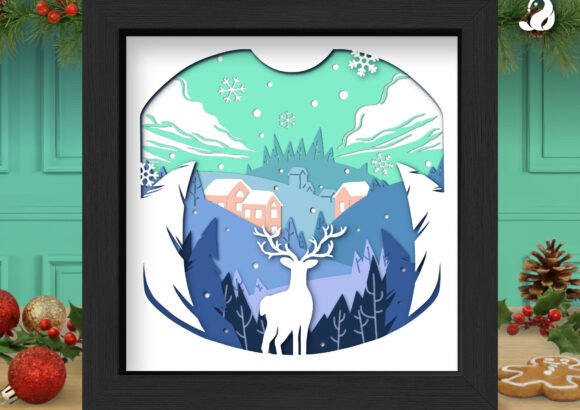
There is something undeniably magical about capturing the quiet stillness of a winter night in a physical form. When you work with a Snowy Winter Village 3D Shadowbox SVG, you are not just cutting paper; you are building a scene that invites viewers to step into a serene, snow-covered world. This specific design stands out because it moves beyond standard holiday clichés, offering an elegant narrative of a majestic white reindeer standing guard in a forest, with a cozy mountain village nestled softly in the background. For crafters, small business owners, and DIY enthusiasts, this file represents more than just a digital download—it is a blueprint for creating atmosphere.
The appeal of this project lies in its ability to transform flat materials into a dimensional experience. By utilizing a soft palette of mint green, icy blue, and crisp white, the design evokes a peaceful Winter Wonderland rather than a loud, chaotic holiday display. Whether you are decorating your own living room or creating handmade gifts for nature lovers, understanding how to maximize the potential of these layered files can elevate your final product from a simple craft to a professional-grade piece of art.
Understanding the Design and Its Depth
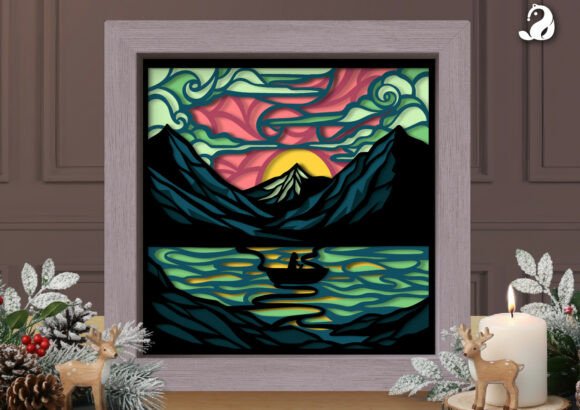
At its core, a 3D shadowbox relies on the strategic layering of cut materials to create the illusion of depth. The Snowy Winter Village 3D Shadowbox SVG is meticulously crafted to showcase this through distinct silhouettes of pine trees and falling snowflakes. Unlike single-layer cutouts that can look flat against a wall, this design uses spacing between layers to cast subtle shadows, enhancing the three-dimensional effect. The unique arched framing within the square box adds a sophisticated, artistic touch that frames the reindeer and the village like a window into another world.
When lit from behind, such as in a festive light box, the true magic happens. The snowy layers glow beautifully, turning the cardstock into a luminous centerpiece for your holiday decor. The transparency of the thinner cuts allows light to filter through the "snow," while the denser areas provide contrast. This interplay of light and shadow is what makes the design so captivating. It is important to note that the file includes clearly organized layers, which is crucial for easy cutting and color matching. Without proper layer separation, achieving this depth would require tedious manual tracing and cutting.
Versatile Applications for Creators and Businesses
The versatility of this SVG file makes it an excellent asset for a wide range of users, from beginners looking for their first complex project to entrepreneurs scaling their holiday inventory. Here are several practical ways to utilize this design:
- Home Decor: Create a stunning focal point for a winter-themed nursery or a cozy corner in your living room. The gentle colors blend seamlessly with modern farmhouse or Scandinavian interior styles.
- Handmade Gifts: For friends and family who love animals or nature, a custom-made shadowbox shows a level of care and effort that store-bought items cannot match.
- Small Business Products: If you run an Etsy shop or sell at local craft fairs, seasonal DIY craft projects are high-demand items. This design allows you to produce consistent, high-quality units quickly.
- Educational Projects: Educators can use the concept of layering to teach students about perspective, light, and spatial reasoning in art classes.
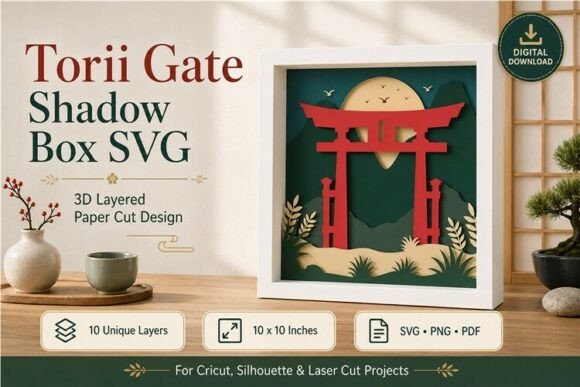
For small business owners, the efficiency of the file formats is a significant advantage. The package typically includes SVG, DXF, EPS, AI, PDF, JPG, and PNG. This means whether you are using a Cricut, Silhouette, or a laser cutter, you have a compatible format ready to go. The vector files (SVG, DXF, EPS, AI) ensure that you can scale the design up for a large wall installation or down for a desktop ornament without losing any resolution or detail.
Material Selection and Pro Tips for Success
While the digital file provides the structure, the materials you choose determine the final aesthetic. To truly embrace the magic of the season, material selection is key. A standard white cardstock works well, but to achieve a professional finish, consider the texture and reflectivity of your paper.
Pro Tip: Use white glitter cardstock for the reindeer and the snowflake layers. This gives the piece a shimmering, frost-like finish that catches the light perfectly, especially when used in a lighted box. The glitter mimics the sparkle of fresh snow under moonlight, adding a dynamic element that changes as the viewer moves around the piece.
When assembling, pay close attention to the spacing between layers. Using foam adhesive squares instead of liquid glue can help maintain consistent depth. For the background village and forest layers, a matte finish in icy blue or mint green helps them recede visually, pushing the glittery reindeer forward. This technique enhances the 3D effect and ensures the main subject remains the star of the show.
Important Considerations Before You Start
Before diving into your project, there are a few practical things to consider to ensure a smooth workflow. First, assess your cutting machine's capabilities. While the layers are organized, intricate details like small snowflakes or fine tree branches require a sharp blade and potentially a slower cutting speed to prevent tearing. Always perform a test cut on a scrap piece of your chosen material.
Secondly, think about your framing method. The design features a square box with an arched internal frame. You will need a shadowbox frame deep enough to accommodate the stacked layers without crushing them. If you plan to light the piece, ensure your frame allows for wiring access or has a built-in LED strip channel. Safety is also paramount if using electrical components; always follow manufacturer guidelines for light boxes.
Finally, consider the environment where the piece will live. Direct sunlight can fade colored cardstock over time, so it is best displayed in areas with indirect light unless you are using archival-quality materials. For outdoor use, this design is better suited for covered porches where it is protected from moisture, as paper and snow do not mix well in real life!
Bringing the Winter Forest to Life
Creating a Snowy Winter Village 3D Shadowbox SVG project is a rewarding experience that blends technical precision with artistic expression. It solves the common problem of finding unique, high-quality holiday decor that isn't mass-produced. By providing a clear path from digital file to physical object, this design empowers you to create something tangible and beautiful.
Whether you are a hobbyist looking to unwind with a focused craft session or a marketer seeking eye-catching visuals for seasonal campaigns, the depth and elegance of this reindeer forest scene offer endless possibilities. The combination of the serene village, the majestic animal, and the glowing snow creates a narrative of peace and warmth. As you layer each piece of cardstock, you are not just assembling a decoration; you are curating a moment of winter magic that can be enjoyed year after year.