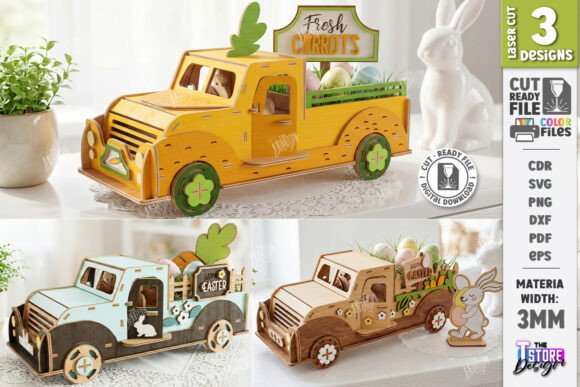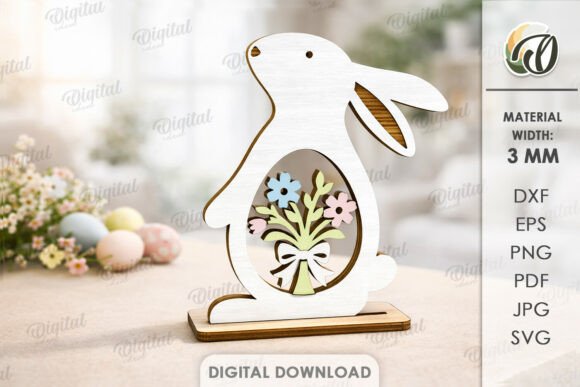
3D Easter Stand Decoration Laser Cut Guide
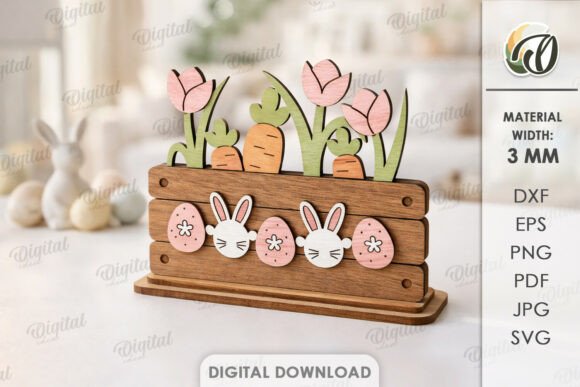
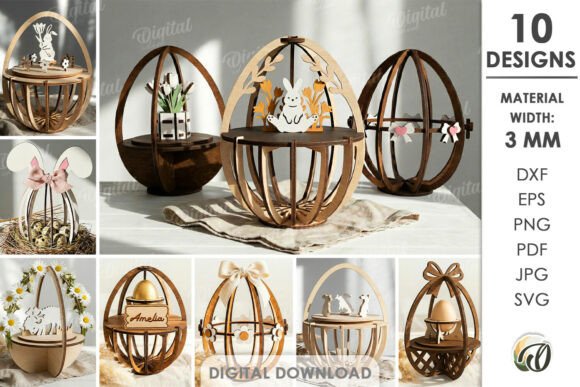
Bringing a festive touch to your home or small business often requires a blend of creativity and precision. When you explore the world of 3D Easter Stand Decoration Laser Cut files, you are unlocking a versatile method for crafting stunning seasonal displays without needing to be an expert illustrator. It is important to understand right from the start that this is a digital product. No physical goods will be sent to your doorstep. Instead, the photos you see are intended only for inspiration, showcasing what is possible when these digital designs meet physical materials. Upon purchase, you will receive a zip folder containing one comprehensive design available in SVG, DXF, EPS, PDF, JPEG, and PNG file formats, ready for your specific machine setup.
The core appeal of this project lies in its ability to transform flat sheets of material into dimensional art. By utilizing laser cutting technology, you can create intricate layers that stand upright, forming a charming centerpiece for your dining table, a whimsical addition to a retail display, or a unique gift for friends and family. The design provided is optimized for a material width of 3mm, which is a standard thickness for many craft woods, acrylics, and sturdy cardstocks. This specific measurement ensures that the slots and joints fit together snugly, providing structural stability without the need for excessive glue or complicated assembly instructions.
Why Choose Digital Files for Seasonal Crafts
For beginners and seasoned makers alike, starting with a pre-made digital file saves a tremendous amount of time and reduces the risk of errors. Designing a 3D structure from scratch requires a solid understanding of geometry, kerf compensation (the width of the laser beam), and structural balance. By downloading a 3D Easter Stand Decoration Laser Cut file, you bypass the technical hurdles of the design phase and jump straight into the making process. This is particularly valuable for small business owners or educators who need reliable results quickly.
Consider the flexibility this offers. Because you receive multiple file formats, you are not locked into one type of software or machine. Whether you use a desktop diode laser, a professional CO2 cutter, or even a CNC router, there is a compatible file in your zip folder. The inclusion of JPEG and PNG formats also allows you to use the design for sublimation printing or as a visual reference if you decide to adapt the concept for other crafts later on. The possibilities of creation are truly endless when you have the right foundational assets.
Practical Applications and Use Cases
The versatility of a 3D Easter stand extends far beyond a simple holiday ornament. Here are several ways you can apply this design in personal, creative, and commercial contexts:
- Home Decor: Create a focal point for your entryway console or dinner table. Using natural birch plywood gives a rustic, warm feel, while painted MDF can match specific color schemes.
- Retail Displays: Small boutique owners can use these stands to elevate products like candles, soaps, or jewelry. The height adds visual interest to shelf arrangements during the spring season.
- Educational Projects: Teachers can use this as a hands-on STEM activity. Students can assemble the pieces to learn about structural engineering, symmetry, and spatial reasoning.
- Event Planning: Wedding planners or party coordinators can mass-produce these decorations for spring-themed events, customizing them with ribbons or flowers to fit the venue's aesthetic.
- Photography Props: Bloggers and marketers often need fresh backgrounds for product photography. A well-lit 3D Easter stand provides a thematic yet subtle backdrop for spring collections.
Each of these scenarios highlights how a single digital download can serve multiple purposes. For entrepreneurs, the ability to produce these items on demand means low overhead costs. You only cut what you need, when you need it, minimizing waste and storage issues.
Material Selection and Preparation
Before you begin cutting, selecting the right material is crucial for the success of your 3D Easter Stand Decoration Laser Cut project. As noted, the design requires a material width of 3mm. While 3mm plywood is the most common choice due to its ease of cutting and natural finish, you might also consider 3mm acrylic for a modern, translucent look. If you choose acrylic, ensure it is cast acrylic rather than extruded, as the latter can melt unevenly under the laser.
It is also vital to check the actual thickness of your material. "3mm" wood can sometimes vary slightly between batches or manufacturers. If your material is thicker or thinner than 3mm, you may need to adjust the slot widths in your vector software before cutting to ensure a tight fit. This small step prevents the final assembly from being too loose or impossible to put together. Always run a test cut on a scrap piece of the same material to dial in your power and speed settings.
Assembly Tips for Best Results
Once your pieces are cut, the assembly process is generally straightforward, but attention to detail makes a difference. Start by dry-fitting the pieces without glue to ensure everything aligns correctly. If you are using wood, light sanding of the edges can remove any char marks and smooth out the surface for painting or staining. For a professional finish, consider applying a clear sealant or wax after assembly to protect the material and enhance the grain.
If you plan to sell these items, consistency is key. Keep a record of your machine settings for specific materials so that every unit you produce looks identical. This reliability builds trust with your customers and establishes your reputation as a quality creator.
Important Considerations Before You Begin
While the process is rewarding, there are a few things to keep in mind to ensure a smooth experience. First, remember that this is a digital download. If you are unfamiliar with unzipping files or transferring them to your machine, take a moment to review basic file management tutorials. Second, always respect safety protocols when operating laser cutters. Ensure proper ventilation, especially when cutting materials like MDF or acrylic, which can release fumes.
Additionally, think about your end goal. Are you making one for fun, or do you intend to sell hundreds? If it is for commercial use, verify the licensing terms associated with the digital file to ensure you have the rights to sell finished physical goods made from the design. Most creators encourage small business use, but clarity is essential.
Finally, do not hesitate to reach out if you encounter issues. Technical glitches or file compatibility questions can happen. Writing a message to the seller can often resolve confusion quickly, ensuring you get back to creating without delay. Happy shopping, and enjoy bringing your 3D Easter visions to life!